Immich: Private Photo Hosting Without Big Tech
Immich is an open-source, self-hosted alternative to Google Photos that keeps your images under your control. This guide explains how it works, why it matters for privacy, and what to consider before using it.
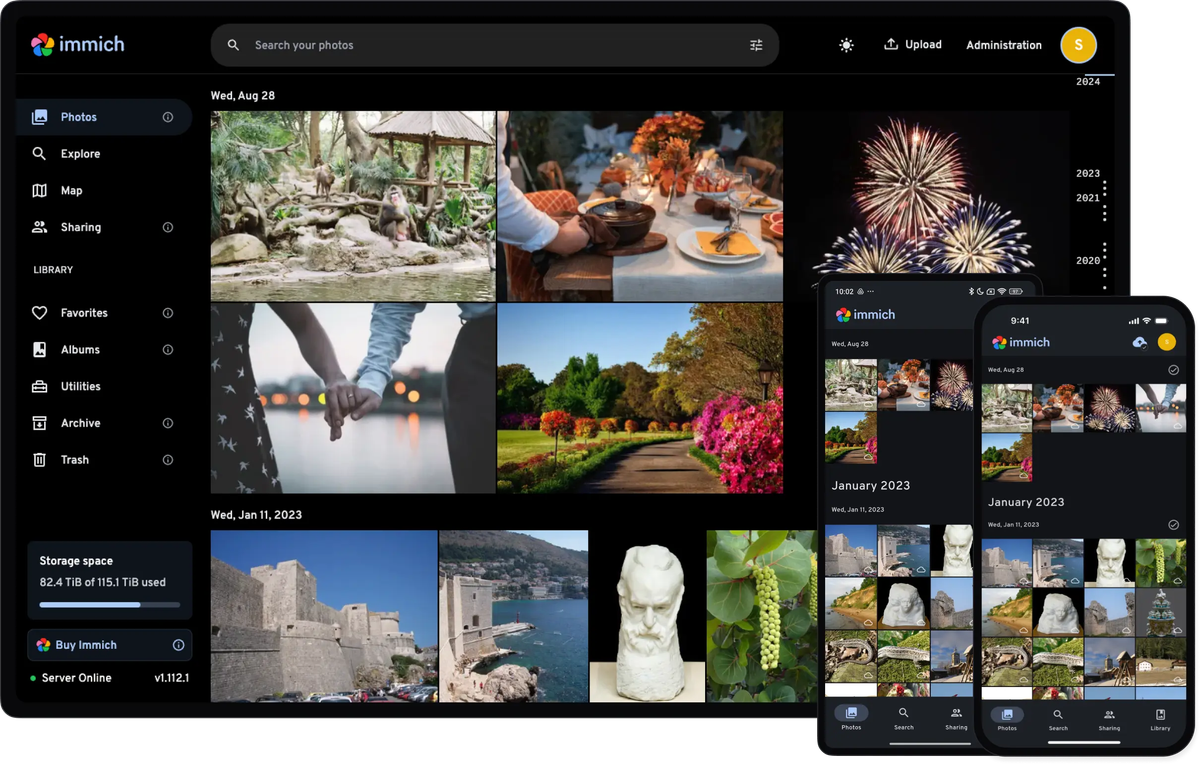
Self-hosting Immich lets you manage photos and videos on your own server instead of handing them to data-hungry cloud platforms. It offers a Google Photos–like experience while keeping your personal media under your control.
Most people store years of family memories on platforms they don’t fully trust. Immich has emerged as a serious option for privacy-conscious users who want modern photo management features without sacrificing data ownership, security, or transparency.
Prefer listening? Click play below, or listen to this episode on RedCircle.
Powered by RedCircle
What is Immich and why do privacy-focused users care?
Immich is an open-source, self-hosted photo and video management platform designed to replicate the convenience of mainstream cloud photo services while eliminating third-party surveillance. Unlike closed ecosystems, Immich runs on your own hardware and gives you full control over storage, backups, and access policies.
For readers concerned about digital rights, this matters because cloud photo platforms often analyze images for advertising, AI training, or content moderation. Running Immich locally means your data is not monetized, scanned, or shared without your consent. The project’s open development model also allows independent review of its security practices via its public GitHub repository at https://github.com/immich-app/immich.
How does Immich compare to mainstream photo services?
Popular photo platforms prioritize convenience over privacy. Services like Google Photos (https://photos.google.com), Apple iCloud Photos (https://www.apple.com/icloud/photos/), and Synology Photos (https://www.synology.com/en-global/dsm/feature/photos) all differ in their data handling models.
Immich contrasts with these platforms in a few key ways:
- Data ownership: Your images remain on hardware you control.
- Transparency: Open-source code allows community auditing.
- No behavioral profiling: There is no advertising-driven incentive to analyze your content.
This distinction aligns with broader privacy guidance from organizations like the Electronic Frontier Foundation, which consistently warn against opaque cloud data practices: https://www.eff.org/issues/online-privacy.
Is Immich secure enough for sensitive personal photos?
Immich’s security depends largely on how it is deployed, which is typical for self-hosted software. The platform supports modern authentication, role-based access, and encrypted connections when configured correctly. Because you control the server, you also control whether files are exposed to the internet or kept strictly local.
Self-hosting does introduce responsibility. You must manage updates, firewall rules, and backups yourself. However, this tradeoff is often preferable for users who value autonomy over convenience. The Immich documentation emphasizes Docker-based isolation and encourages regular updates, aligning with widely accepted self-hosting security practices described by Docker itself: https://docs.docker.com/get-started/overview/.
Protect your digital life—subscribe for trusted privacy and security insights.
How do you set up Immich step by step?
Setting up Immich is easier to follow when you can see the process in action. While the written steps below explain what needs to happen, many first-time self-hosters find it helpful to watch a full walkthrough that shows the configuration files, Docker commands, and web interface in real time.
- Prepare your server
Choose a machine you control, such as a home server or VPS, and install Docker and Docker Compose. - Download Immich configuration files
Clone the official Immich repository and review the default environment variables. - Configure storage and access
Define where photos will be stored, set strong passwords, and decide whether the service will be internet-accessible. - Launch Immich with Docker Compose
Start the containers and verify that the web interface loads correctly. - Back up and update regularly
Schedule automated backups and keep containers updated to reduce security risks.
This approach ensures both usability and long-term data protection.
What are the key facts you should know before self-hosting Immich?
| Feature | Immich |
|---|---|
| License | Open-source (AGPL) |
| Hosting model | Self-hosted |
| Mobile apps | Android and iOS |
| Facial recognition | Local, optional |
| Internet required | No (local use supported) |
What are the privacy advantages and tradeoffs?
The biggest advantage of Immich is sovereignty over your personal data. Your photos are not subject to unilateral policy changes or opaque AI processing. This is particularly relevant in light of ongoing regulatory debates around biometric data and image analysis in the EU and US.
The main tradeoff is responsibility. If you misconfigure your server or neglect updates, you could expose your data. Immich shifts trust from corporations to the individual, which aligns strongly with digital rights principles but requires technical diligence.
FAQs
Is Immich completely private by default?
Yes, as long as it is not exposed to the public internet and is properly configured.
Does Immich replace Google Photos entirely?
For most users, yes, though it may lack some cloud-only convenience features.
Can Immich do facial recognition without cloud AI?
Yes, facial recognition runs locally on your server.
Is Immich suitable for non-technical users?
It is improving rapidly, but basic server knowledge is still recommended.
Does Immich cost money?
The software is free, but you pay for your own hardware and storage.
What to do next: Download Immich and test it on a local server to evaluate whether self-hosted photo management fits your privacy needs.


